 6e1fb68f65
Issue conclusion: GraphNode port connections appear misaligned when switching between vertex and fragment modes, only realigning after zoom or layout refresh. Investigation: The root cause was due to port positions being calculated before child layouts had finalized, resulting in inaccurate Y positions for ports. The original implementation relied on Control::position.y, which was not yet updated during the initial layout pass. Explaination: This fix computes vertical offset using titlebar and stylebox sizes instead, ensuring port alignment is correct immediately after layout, without relying on zoom-triggered re-layouts. Resolves: #105232 Add layout mode check to distinguish GraphEditor and ShaderGraphEditor Fix port position calculation by distinguishing between GraphEditor and ShaderGraphEditor layouts. Due to differences in layout flow and update timing (CPU vs GPU), ShaderGraphEditor requires manual vertical offset calculation, while standard GraphEditor can directly get the actual child positions after layout in run time. This change adds a layout mode check (`is_using_resort_layout) to determine the appropriate method for computing port positions. Fixed nits using cached values and removed redundant condition variable definition. Add comment for the condition checking. |
||
|---|---|---|
| .github | ||
| core | ||
| doc | ||
| drivers | ||
| editor | ||
| main | ||
| misc | ||
| modules | ||
| platform | ||
| scene | ||
| servers | ||
| tests | ||
| thirdparty | ||
| .clang-format | ||
| .clang-tidy | ||
| .clangd | ||
| .editorconfig | ||
| .git-blame-ignore-revs | ||
| .gitattributes | ||
| .gitignore | ||
| .mailmap | ||
| .pre-commit-config.yaml | ||
| AUTHORS.md | ||
| CHANGELOG.md | ||
| CONTRIBUTING.md | ||
| COPYRIGHT.txt | ||
| DONORS.md | ||
| gles3_builders.py | ||
| glsl_builders.py | ||
| godot.manifest | ||
| icon.png | ||
| icon.svg | ||
| icon_outlined.png | ||
| icon_outlined.svg | ||
| LICENSE.txt | ||
| logo.png | ||
| logo.svg | ||
| LOGO_LICENSE.txt | ||
| logo_outlined.png | ||
| logo_outlined.svg | ||
| methods.py | ||
| platform_methods.py | ||
| pyproject.toml | ||
| README.md | ||
| SConstruct | ||
| scu_builders.py | ||
| version.py | ||


Godot Engine

2D and 3D cross-platform game engine
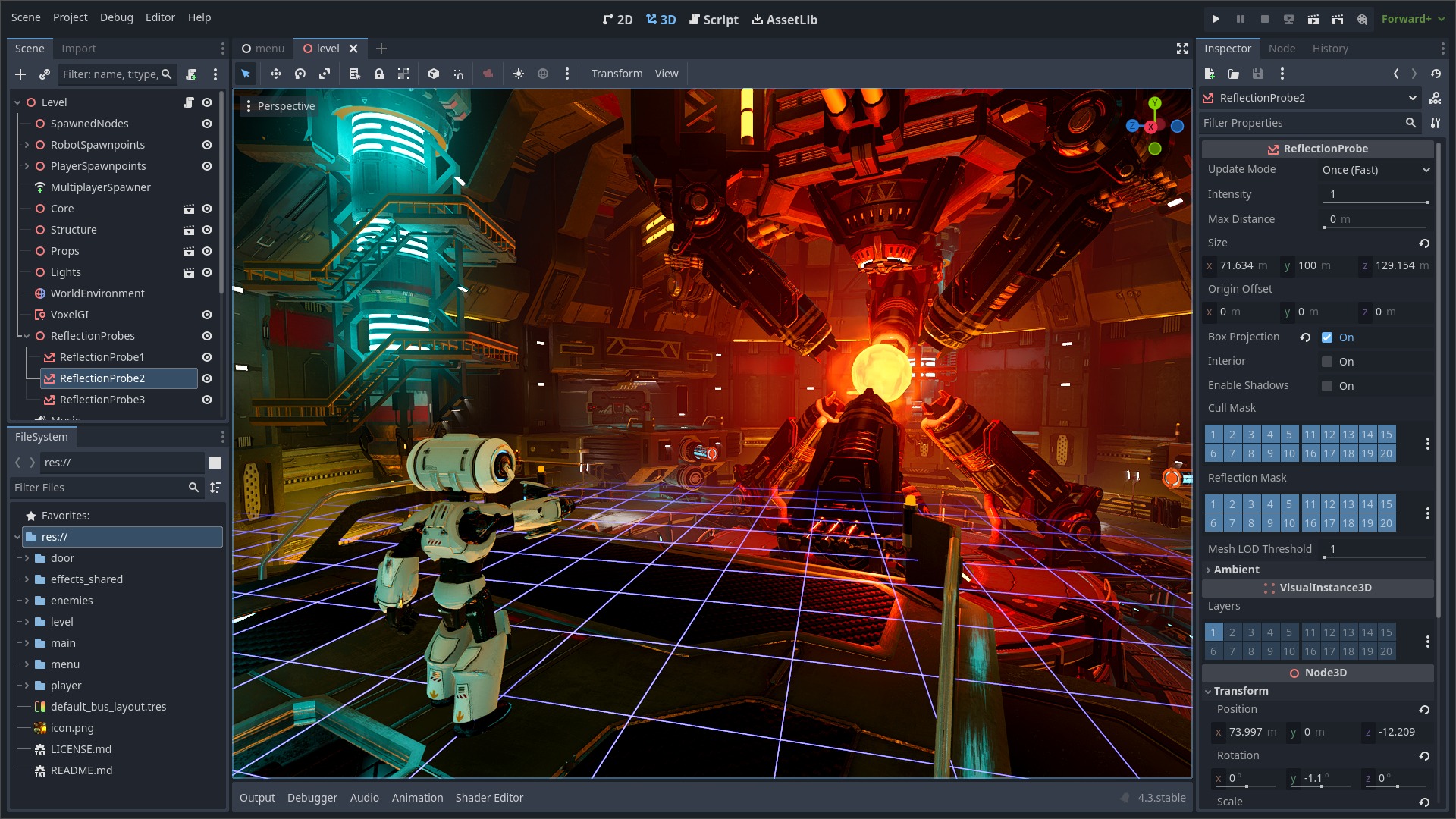
Godot Engine is a feature-packed, cross-platform game engine to create 2D and 3D games from a unified interface. It provides a comprehensive set of common tools, so that users can focus on making games without having to reinvent the wheel. Games can be exported with one click to a number of platforms, including the major desktop platforms (Linux, macOS, Windows), mobile platforms (Android, iOS), as well as Web-based platforms and consoles.
Free, open source and community-driven
Godot is completely free and open source under the very permissive MIT license. No strings attached, no royalties, nothing. The users' games are theirs, down to the last line of engine code. Godot's development is fully independent and community-driven, empowering users to help shape their engine to match their expectations. It is supported by the Godot Foundation not-for-profit.
Before being open sourced in February 2014, Godot had been developed by Juan Linietsky and Ariel Manzur (both still maintaining the project) for several years as an in-house engine, used to publish several work-for-hire titles.
Getting the engine
Binary downloads
Official binaries for the Godot editor and the export templates can be found on the Godot website.
Compiling from source
See the official docs for compilation instructions for every supported platform.
Community and contributing
Godot is not only an engine but an ever-growing community of users and engine developers. The main community channels are listed on the homepage.
The best way to get in touch with the core engine developers is to join the Godot Contributors Chat.
To get started contributing to the project, see the contributing guide. This document also includes guidelines for reporting bugs.
Documentation and demos
The official documentation is hosted on Read the Docs. It is maintained by the Godot community in its own GitHub repository.
The class reference is also accessible from the Godot editor.
We also maintain official demos in their own GitHub repository as well as a list of awesome Godot community resources.
There are also a number of other learning resources provided by the community, such as text and video tutorials, demos, etc. Consult the community channels for more information.

